- Prepare the website and host the files on a Git repository.
- Deploy the website on Cloudflare Pages.
- Create a Cloudflare account and log in to the dashboard. Under
Account Home, clickDeveloper Platform, create a page by connecting the Git repository hosting the website. - Configure the deployment by setting up the page name (e.g.,
xxx), specifying the build command and output directory, and then deploy the website. - Upon deployment, the website will be accessible at
xxx.pages.dev.
- Create a Cloudflare account and log in to the dashboard. Under
- Set up a custom domain for the website
- Get a domain name in advance (e.g.,
yyy.com). DisableDNSSECat the domain registrar. - Use Cloudflare as the primary DNS provider (if not). Add the domain to the Cloudflare dashboard. Then add a DNS record (
CNAME) for the deployed website.
- Log in to the domain registrar and update the nameservers of the domain to Cloudflare's servers.
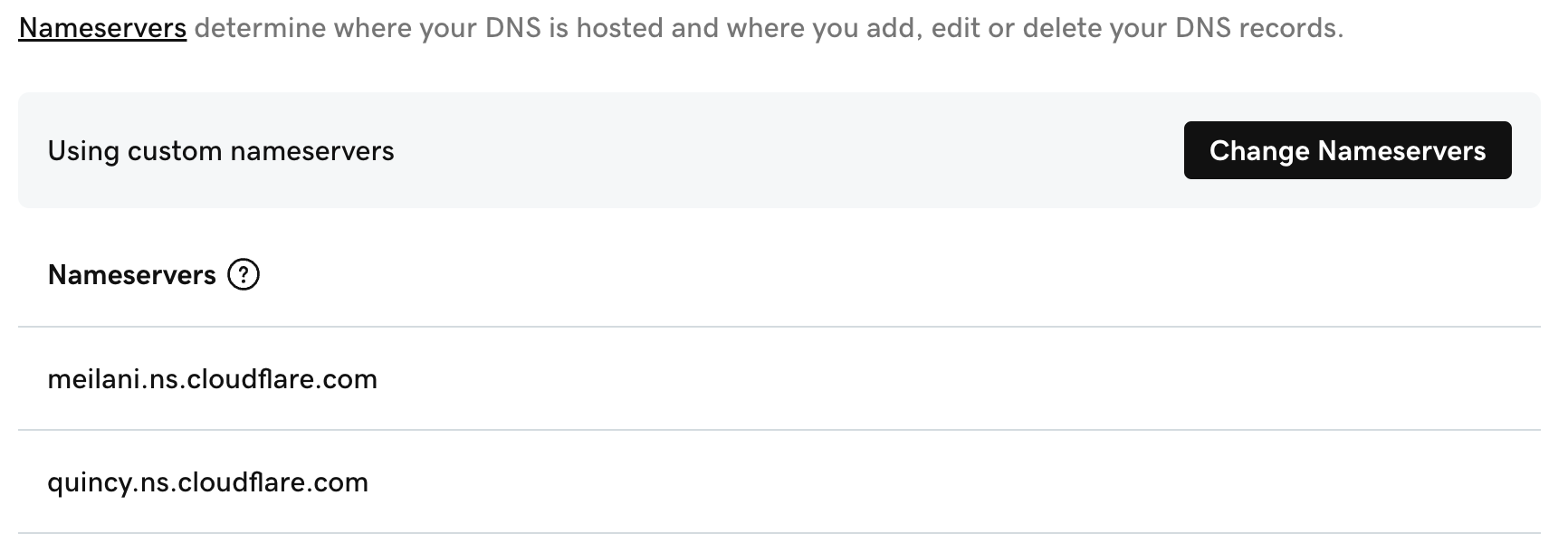
- Verify the changes and allow the registrar time to update the nameservers. Access the website at
yyy.com.
- Get a domain name in advance (e.g.,
Back to Memo